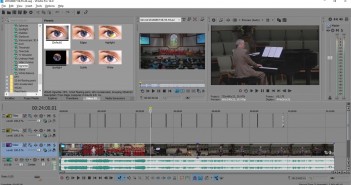
Here At Last And Under New Ownership The Vegas world was excited in April 2014 with the release of Vegas Pro 13 at NAB. With a typical release at NAB or IBC, everyone was waiting for an announcement in April…
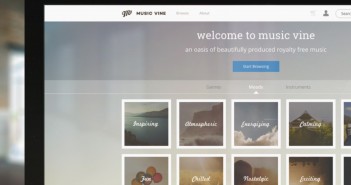
Music Vine is a new music licensing platform that’s been generating quite a bit of a buzz amongst filmmakers lately. Over the last few days I’ve had a peruse through the site myself and have also had a chat with…
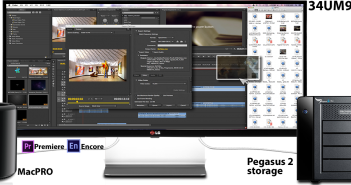
This is a sponsored message from LG Electronics. In the world of 16:9 monitors, those who needed more screen space to get their work done had to be creative… by putting two monitors together and letting the CPU handle it.…
Adobe has announced a major update to Premiere Pro CC, After Effects CC and Media Encoder CC. As expected, there are many under-the-hood improvements that affect Mercury Engine and now Mercury Transmit, but the incredible thing for me about this upgrade is that Premiere…
Originally posted on Dashwood Cinema SolutionsI was very excited last week to hear that Convergent Design had finally released the highly-anticipated firmware update for the Odyssey7Q that added ProRes422 and 4K RAW recording. I’ve been a proud owner of the…
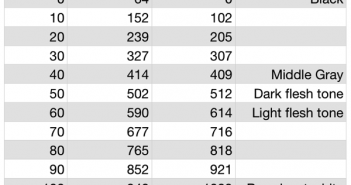
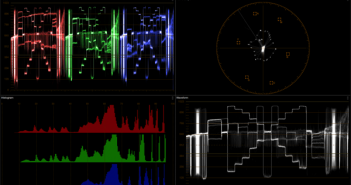
Every time I download a new version of Resolve I have to fill out the little questionnaire that asks me what features I’d like to see added quickly. I always write, “Add a waveform scale that reads in percentages!” And…
When Rubber Monkey Software of New Zealand asked me to review their filmConvert software, it occurred to me that this was an opportunity to ask some deeper questions about film stock emulation products that never seem to get asked: not just “how,” but “why?” Rubber Monkey software is based in New Zealand. Lance Lones, one of their principals who has a strong background in visual effects as well as color technology, took a lot of time to answer my emailed questions in great detail, for which I am truly thankful. My questions are in bold, followed by Lance’s responses.
I’ve spent a long time learning to make HD footage look “filmic” without really knowing exactly what that meant. I’ve just picked up a bit of insight, however, and it’s permanently changed how I look at video and color. I’ve shot a number of projects using an Arri Alexa in WYSIWYG mode — for which I’m considered a bit of an oddity — but with it I can get great results with no more than minimal grading and clients love walking away with ProRes files whose look is 90% there. My problem is that I now have to do this with other cameras as Alexa’s price point is considered “high” in my market due to the release of several newer, cheaper and fairly capable cameras. I love the Alexa look, but my current task is to figure out how to get close to that look when the production doesn’t have the budget to rent one — or, more likely, in the event the production company owns their own camera.
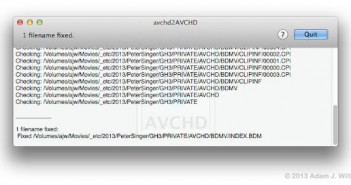
If you’re using OS X and you copy AVCHD media folders to a NAS (network-attached storage) or a case-sensitive disk, you may run into problems: opening the media in 10.8’s Finder gives you “CANNOT OPEN” instead of a clip browser, FCP X…
Rampant Design shows new products to instantly enhance your projects with animated mattes, transitions, and light elements. At NAB 2013 in its booth #SL3630 (Plug In Pavilion) in the Las Vegas Convention Center, Rampant Design Tools will show solutions that…